
Automatically categorize calls with custom tags
Filter conversations, spot patterns, and review calls faster with AI-powered call tags.
-
Gain insights
See the most common reasons callers reach out, without listening to every call.
-
Stay organized
Tags make it easy to sort conversations by category or topic.
-
Prioritize important calls
Use tags to quickly find urgent calls, high-value leads, or time-sensitive requests.
How it works
How to set up automatic call tags
Once your tags are set, Upfirst handles the rest—no manual labeling required.
-
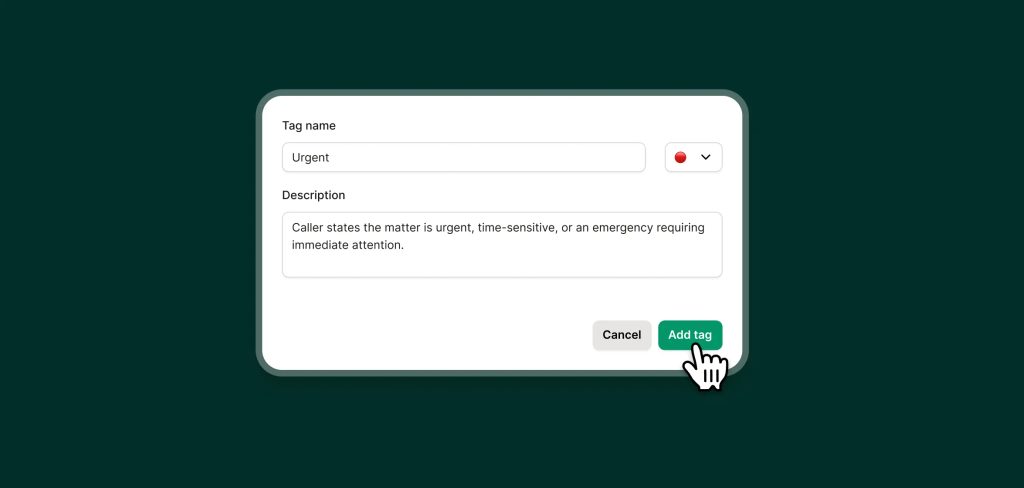
Step 01
Create your tags
Add tags and write short descriptions for them so your AI agent knows when to add them to a call.
-
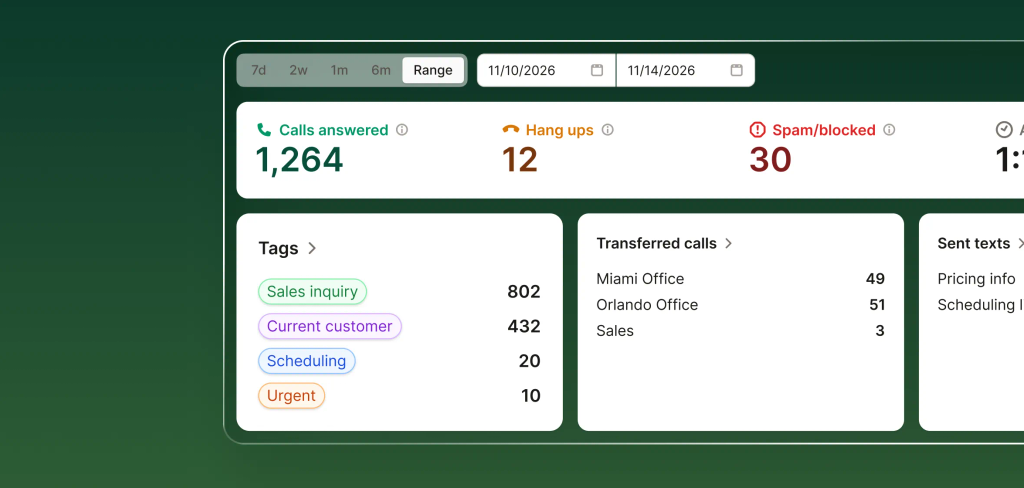
Step 02
Review insights
From your dashboard, you can easily see how the number of calls per tag within a given period.
-
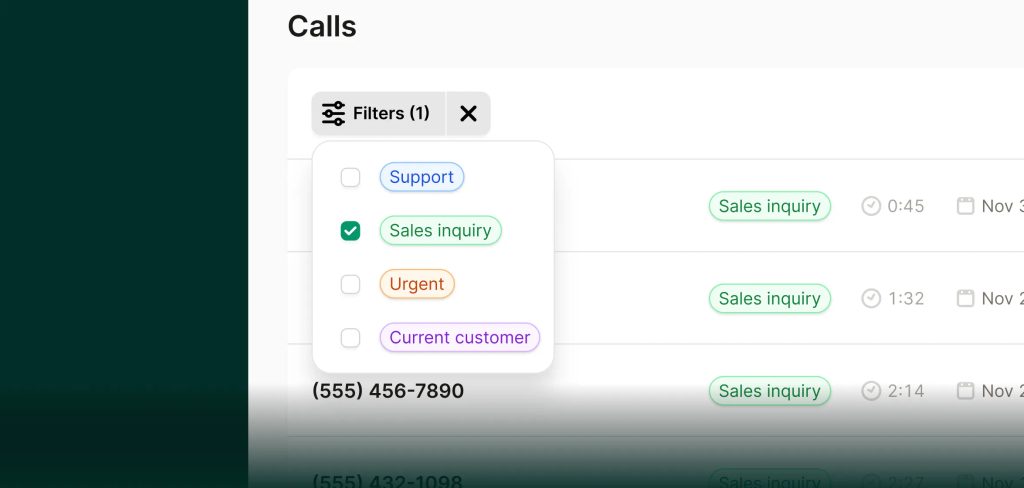
Step 03
Filter your tags
Easily filter your calls by tag so that you can priortize the calls the matter most.
FAQs about our call tagging feature
Have a question that isn't answered here? Get in touch with our team.
-
Yes. Calls can be tagged with multiple labels if more than one applies.
-
Absolutely. You can edit, add, or remove tags at any time, and new calls will use the updated rules.
-
Yes. Notice a tag was incorrectly added to a call? You can easily remove it.