
Qualify leads and collect the info you need
Customize what questions you want your AI receptionist to ask, such as name, contact details, reason for calling, and more.
-
Lead qualification
Screen callers with the right questions before you spend time following up.
-
Customer intake
Gather key details upfront—perfect for legal, service, or new client inquiries.
-
Appointment requests
Capture customer information before offering availability on your calendar.
How it works
How to train your agent to ask the right questions
You don’t need flowcharts or scripts. Just tell your receptionist what info to collect from callers.
-
Step 01
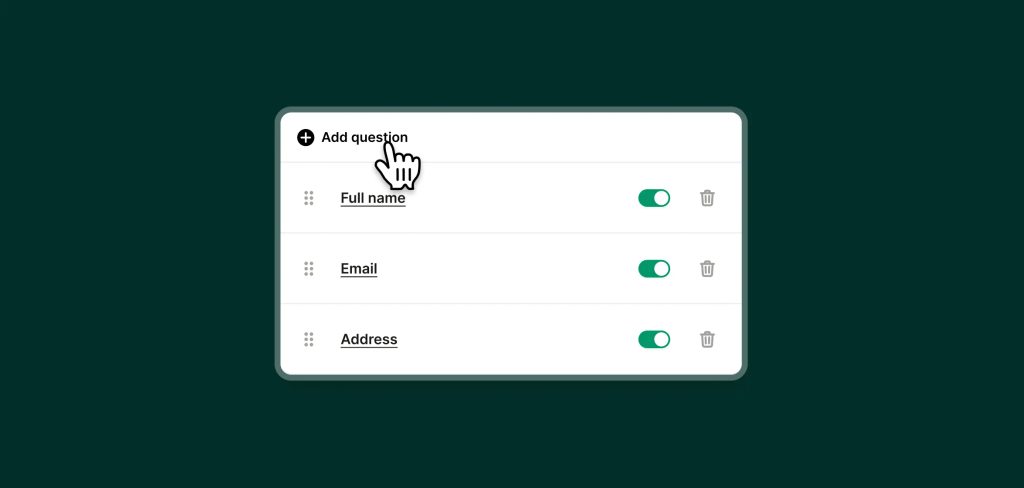
Tell your agent what information you need
No more listening to long voicemails that don't contain the details you need. Upfirst asks the questions you need to follow up.
-
Step 02
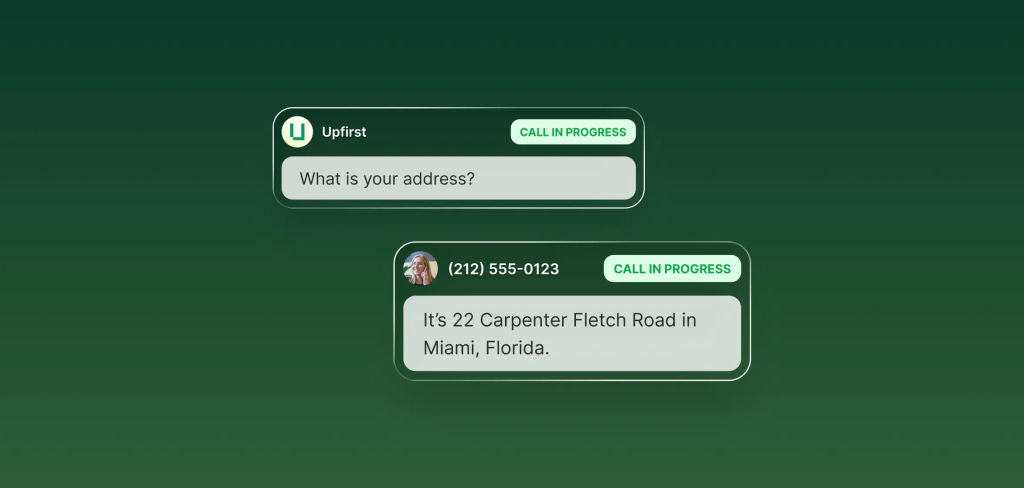
Forward your calls
When someone calls your business, your AI receptionist will pick up and ask the relevant questions.
-
Step 03
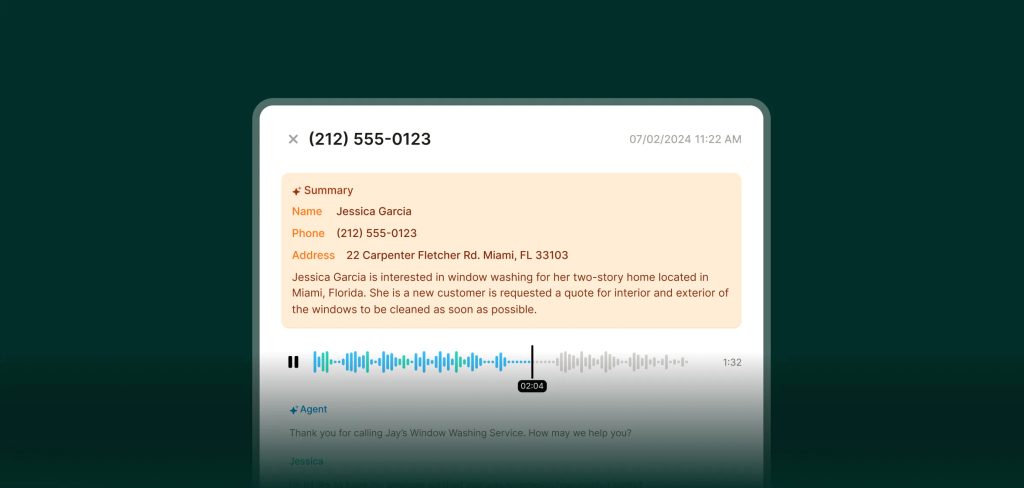
Get info via email, text, or directly in your CRM
Your receptionist will collect the data you want from callers and send it to you in an easy-to-skim summary. It can also pass it right to your CRM.
FAQs about our ask questions feature
Have a question that isn't answered here? Get in touch with our team.
-
Anything you’d normally ask on a call—name, email, location, reason for calling, urgency, budget, availability, and more.
-
Yes. You can update questions or conditions at any time—no redeploys or engineering work required.
-
Upfirst moves on and continues the conversation naturally. You can also tell your receptionist to be insistent on collecting a particular piece of information if it's critical.
-
You can choose to get a text and email with the information collected as soon as the call is over. You can also connect Upfirst to your CRM so that the data is logged automatically.